Configure an LLM Provider
Create an LLM provider to give your applications a managed proxy URL. Redpanda handles the upstream API keys, forwards requests to the provider, and records usage for you. Create a provider for each upstream you use, whether that’s OpenAI, Anthropic, Google Gemini API, Amazon Bedrock, Gemini Enterprise Agent Platform (formerly Vertex AI), Fireworks, or an OpenAI-compatible endpoint.
After reading this page, you will be able to:
-
Create an LLM provider for OpenAI, Anthropic, Google Gemini API, Amazon Bedrock, Gemini Enterprise Agent Platform, Fireworks, or an OpenAI-compatible endpoint
-
Select the models you want to expose through the provider
-
Verify the provider is reachable using the built-in Test connection control
Prerequisites
-
An API key for the upstream provider you want to configure, AWS credentials for Bedrock, or a Google Cloud Platform (GCP) service account key for Gemini Enterprise Agent Platform.
-
Optional: Secrets already created in the Redpanda Agentic Data Plane secret store for the provider’s credentials. The create form can also store a new API key inline, so you don’t have to prepare a secret first. Secret identifiers use
UPPER_SNAKE_CASE. For example:OPENAI_API_KEY,ANTHROPIC_API_KEY,AWS_ACCESS_KEY_ID.
Open the Create LLM provider page
-
Open LLM providers in the sidebar.
-
Click Add provider.
Fill in the identity fields
The Identity section collects the provider’s name. Enter a Display name: a human-readable label shown in dashboards and model selectors, up to 253 characters.
Agentic Data Plane derives the provider’s resource ID from the display name in the background. The create form doesn’t show it. The resource ID is the machine identifier that rpk ai commands use. It starts with a lowercase letter, contains only lowercase letters, numbers, and hyphens, ends with a letter or number (^[a-z]([a-z0-9-]{0,61}[a-z0-9])?$), is at most 63 characters, and is immutable after creation. It appears in the proxy URL (/llm/v1/providers/<resource-id>/…).
Choose a provider type
Select the provider type that matches your upstream service. Each tile carries the type’s name and icon and a one-line summary of what it reaches. Hover over a tile, or select it, to show a Docs link to the upstream’s own API documentation.
| Type | Use when |
|---|---|
OpenAI |
Proxy GPT, o-series, and embeddings through the OpenAI API. Best when you already hold an OpenAI API key or want the broadest GPT model catalog. With passthrough on, forwards each client’s own |
Anthropic |
Call Claude Opus, Sonnet, and Haiku directly. Strong at coding, long-context reasoning, and tool use. With passthrough on, forwards each client’s own |
Google Gemini API |
Reach Gemini models through the Gemini API, with an API key from Google AI Studio. Ideal for long-context workloads and image and video inputs. |
Amazon Bedrock |
Invoke foundation models (Claude, Llama, Titan, Nova, Mistral, AI21 Jamba, Gemma) hosted inside your AWS account. Requires an AWS region and credentials (static, STS-assumed role, or the default credential chain). Supports the native Bedrock APIs ( |
OpenAI-compatible |
Point at any OpenAI-compatible endpoint that ships |
Gemini Enterprise Agent Platform |
Run Gemini and Claude models through your own GCP project, which Google bills for them. Requires a GCP project ID, one location for all the provider’s models, and a service account key. Claude models also need setup in the project and organization first. See Set up Gemini Enterprise Agent Platform as an LLM provider for the GCP setup and a step-by-step walkthrough. |
Fireworks |
Call the serverless models that Fireworks hosts, such as GLM, MiniMax, DeepSeek, and Kimi models, with a Fireworks API key. Models accept requests on the Anthropic Messages, OpenAI Chat Completions, and OpenAI Responses APIs, so one provider works with Claude Code, Codex, and your own code. AI Gateway always sends the stored key to a fixed Fireworks endpoint. |
Selecting a type reveals the type-specific configuration fields.
Fill in the type-specific configuration
Each API key reference and credential field points at a secret-store entry, not the secret value itself. On the create form, the Credential section lists the keys already in the Agentic Data Plane secret store. Pick one, or select Bring a new API key reference to store a new key inline. Enter a Key name and the API key value, then click Save key. Agentic Data Plane encrypts the key and stores it in the secret store under an identifier derived from the key name, which appears under the field. You can’t view the value again after you save it.
The picker lists only the secrets AI Gateway can read, which are the ones held in the Agentic Data Plane secret store. A secret that lives in Redpanda Cloud for another product, such as a Redpanda Connect pipeline, isn’t listed, and a new Agentic Data Plane secret can’t reuse its name.
To change the key later, open the provider’s Settings tab. Its Credential section uses the same picker as the create form. Select another stored key, or bring a new one.
|
Save-time validation checks the credential reference, not the secret behind it. AI Gateway looks up the secret on the first request, so a reference to a missing secret saves and then fails on that request. Some types also have their own rules:
|
Each of the following sections covers one provider type. Go to the section for the type you selected. To script the setup, see Manage LLM Providers with rpk ai for a complete command-line example of each type.
OpenAI
Set these fields for an OpenAI provider:
| Field | Notes |
|---|---|
|
Optional. Defaults to the standard OpenAI API ( |
|
Required unless |
|
Optional toggle. When on, AI Gateway forwards each client’s own |
Anthropic
Set these fields for an Anthropic provider:
| Field | Notes |
|---|---|
|
Optional. Defaults to the standard Anthropic API ( |
|
Required unless |
|
Optional toggle. When on, AI Gateway forwards each client’s own |
Google Gemini API
Set these fields for a Google Gemini API provider:
| Field | Notes |
|---|---|
|
Optional. Defaults to the standard Google Gemini API endpoint ( |
|
Required. Secret-store reference for the Google Gemini API key. |
|
Google’s SDKs send their API key as |
Amazon Bedrock
Set these fields for an Amazon Bedrock provider:
| Field | Notes |
|---|---|
|
Required. The AWS region name where the Bedrock endpoint is deployed, such as |
|
Optional. Override the default regional Bedrock endpoint with another Amazon Bedrock runtime endpoint, such as a FIPS or VPC endpoint. Leave it empty to use the standard regional endpoint. The URL has to use |
|
How AI Gateway authenticates to Bedrock: Bedrock API key, Default chain, Static keys, or Assume IAM role. Rows that name a mode apply only to that mode. |
|
Bedrock API key only. Required. Secret-store reference for an Amazon Bedrock API key, |
|
Static keys only. Secret-store reference for the AWS access key ID, |
|
Static keys only. Secret-store reference for the AWS secret access key, |
|
Assume IAM role only. Required. ARN of the IAM role AI Gateway assumes through AWS STS, for example |
|
Assume IAM role only. Read-only. The external ID AI Gateway sends when it assumes the role, built from your environment ID and the provider’s name as |
|
Assume IAM role only. Optional. Session name that appears in AWS CloudTrail audit logs, for example |
Select a Credential type to control how AI Gateway authenticates to Bedrock:
-
Bedrock API key: An Amazon Bedrock API key stored in the secret store, which AI Gateway sends as a bearer token instead of signing requests with SigV4. Use this when you want a single credential and no IAM key pair. Generate the key in the Amazon Bedrock console, and store the key value on its own. The identity behind the key needs the
bedrock:CallWithBearerTokenpermission, plusbedrock:ListFoundationModelsfor Test connection and the invoke permissions for the models you call. AI Gateway never generates or renews a Bedrock API key, so an expired or revoked key fails every call until you update the secret. A short-term key expires within 12 hours and works only in the region it was generated for, so a provider that uses one stops working when the key expires unless you update the secret first. See Generate Amazon Bedrock API keys for how to create a key and which permissions it carries. -
Default chain (default): Leave the credentials unset to use the AWS SDK’s default provider chain (environment variables, shared config, EKS Pod Identity, IRSA, or instance profile). Use this when the gateway already runs with an AWS identity. An Agentic Data Plane environment hosted on a cloud other than AWS has no such identity, so this mode can’t obtain credentials there.
-
Static keys: An IAM access key pair stored in the secret store. Use this when no ambient AWS identity is available, including on an environment hosted on a cloud other than AWS. This is the path the Bedrock setup guide walks through. This mode takes an IAM access key pair only. A Bedrock API key belongs in Bedrock API key, and a temporary access key that needs a session token belongs in Assume IAM role or Default chain.
-
Assume IAM role: AI Gateway assumes an IAM role through AWS STS. Use this for cross-account access or when your security policy requires short-lived credentials. The role ARN names the role to assume. AI Gateway, not you, sets the external ID it sends with the call. The role’s trust policy should require that external ID. Otherwise any LLM provider or guardrail in the environment can assume the same role. The form shows the external ID only after you create the provider. So create the provider, copy the external ID from its
External IDfield, add the condition to the trust policy, and then check the connection from the Settings tab. Test connection on the create form is unavailable in this mode for the same reason. AI Gateway still authenticates the AssumeRole call through the default chain, so this mode also needs an ambient AWS identity. A provider carries one credential type, so you can’t pair a role ARN with an access key pair. See Bedrock troubleshooting for the error a provider reports when it has no reachable AWS identity.
For how Bedrock model identifiers and IAM ARNs map to these fields, see Inference profiles and IAM.
Gemini Enterprise Agent Platform
Set these fields for a Gemini Enterprise Agent Platform provider:
| Field | Notes |
|---|---|
|
Required. Secret-store reference for a GCP service account key in JSON format, for example |
|
Required. The ID of the GCP project that hosts the models and is billed for them, for example |
|
Required. The location that serves every model on this provider, such as |
|
Optional. Leave it empty to use the location’s endpoint. If you set it, it must start with |
The service account needs the roles/aiplatform.user role, and Claude models need setup in your GCP project and organization before they answer. See Set up Gemini Enterprise Agent Platform as an LLM provider.
OpenAI-compatible
Set these fields for an OpenAI-compatible provider:
| Field | Notes |
|---|---|
|
Required. URL of your OpenAI-compatible endpoint, for example |
|
Optional. Leave empty for endpoints with no authentication (common for local runtimes), or when |
|
Optional toggle. Behaves as it does on an OpenAI provider. AI Gateway forwards each client’s own |
OpenAI-compatible endpoints can serve any model. Enter the exact model identifiers your upstream server exposes (for example, meta-llama/Llama-3.3-70B-Instruct or qwen3:8b).
|
Fireworks
Set these fields for a Fireworks provider:
| Field | Notes |
|---|---|
|
Required. Secret-store reference for the Fireworks API key. |
This type has no Base URL field and no Authorization passthrough toggle. AI Gateway sends every request to the Fireworks inference API with the stored key, and it refuses an upstream redirect rather than following it.
Clients call each model on the API they already speak, under the provider’s proxy URL. Use Anthropic Messages at /v1/messages, OpenAI Chat Completions at /chat/completions, or OpenAI Responses at /responses. AI Gateway forwards the request to the same API on Fireworks without translating it, so the response comes from Fireworks unchanged. Requests run on the Fireworks standard service tier. AI Gateway rejects service_tier as a query parameter, and in the body it accepts only standard. Either one returns HTTP 400 with the error type unsupported_service_tier.
Attach a guardrail (optional)
Attach a guardrail to inspect and control the prompts and responses this provider proxies. In the create form’s Traffic controls section, select a guardrail from the Guardrail list, or leave it empty for none. Each provider references at most one guardrail.
AI Gateway validates the name when you save. It rejects a guardrail that doesn’t exist or is being deleted. To create one first, see Create a guardrail.
To attach or change a guardrail later, use the Traffic controls section on the provider’s Settings tab. From the CLI, use the --guardrail flag on rpk ai llm-provider create or rpk ai llm-provider update. See Update a provider.
Select models
Models you select on this form become the catalog the provider exposes. The same list appears in the Models section of a saved provider’s Settings tab, so you change the selection the same way later.
For OpenAI, Anthropic, Google Gemini API, and Amazon Bedrock, the form shows one row per model from the provider’s catalog, with the full catalog selected by default. Keep the default, or clear a model’s checkbox to narrow what the provider exposes. Each row names the model, and where the catalog has a display name for it, the identifier sits beside that name. The list dims a row you can’t enable, and the row’s tooltip says why. For OpenAI-compatible, the form takes a freeform list. Type the exact identifiers your upstream serves.
With more than 10 rows, the list gains a Filter models box, a count of how many models are enabled out of the total, and Enable all and Disable all. Filtering narrows both controls to Enable shown and Disable shown. A filter that matches nothing reports No models match the filter. and offers Clear filter.
Unless the catalog groups models by publisher, the list separates Current models from Previous generations, where each row names the model that supersedes it, and from Other saved models. Other saved models holds the identifiers this provider can’t serve, both the ones the catalog doesn’t recognize and the ones it knows but doesn’t offer at the provider’s region or location. Saving keeps those identifiers rather than dropping them, so a model you typed stays on the provider. A model the provider has retired appears in Previous generations instead, and you can’t enable it again after you clear its checkbox.
For Gemini Enterprise Agent Platform, the list shows only the models served at the provider’s location, so choose the location first. The form preselects the Gemini models there, and Claude models start unselected. Select only the Claude models you enabled in your GCP project. If you change the location, the selection resets to that location’s Gemini models.
For Fireworks, the list shows the serverless models in Redpanda’s Fireworks catalog, grouped under the vendor that publishes each one, with every model selected by default except one the catalog has marked for retirement. Identifiers use the form accounts/fireworks/models/<model>, as Fireworks publishes them. You can add a model only by selecting it from the list. AI Gateway rejects a save that adds an identifier that isn’t in the catalog or a model that the catalog marks as retired. A retired model that is already on the provider stays until you clear it. Select at least one model. The provider serves only the models you select, and its connection check sends a request to each of them, up to 100.
Redpanda maintains the catalog of available models in the list. When an upstream provider publishes a new model, it usually appears in the list within a day or two. Admins don’t have to wait for a Redpanda release. New models aren’t enabled automatically. An admin still selects the model in the catalog to make it callable through this provider. A model the upstream provider has retired drops out of the list. A provider that already has it selected keeps serving it, its recorded spend keeps pricing at the catalog rates, and agents using it keep working.
For Bedrock, the list shows inference-profile IDs for models that Bedrock serves only through a profile, such as Claude, and the bare model ID for models invoked in-region, such as Mistral Large 3. See Inference profiles and IAM.
The Bedrock list groups models under the vendor that publishes them, such as Anthropic, Amazon, Google, Meta, Mistral, and OpenAI. Because Bedrock reaches a model through one inference geography at a time, each model gets a row with a column per geography, and each column is a model ID of its own. Select as many geographies for a model as you want to serve. The list says what each geography means, including that Global can run inference in any commercial AWS region, so your IAM role and any service control policies have to allow it. Enable all becomes a menu that turns on one geography across the list.
|
Redpanda stores models as structured |
Beyond pricing, the catalog carries each model’s capabilities and context-window limits: max_input_tokens (the largest context the model accepts) and max_output_tokens (the most it can generate in a single response). Both are read-only catalog metadata. A limit the catalog doesn’t declare stays unset rather than reported as zero. To see a model’s limits, run rpk ai model get <model>. The context-window indicator on an agent’s Playground tab uses them to show how full the agent’s context window is.
Override per-model pricing
Cost reporting prices each call at the catalog rates for the model. If your organization negotiates non-standard rates, or you track spend against an internal chargeback rate, override the rates per model on this provider.
Click Edit rates to open the rates editor. It covers the models that are enabled on this provider, one row each, so enable a model before you price it. When an enabled model has neither a list price nor a rate of your own, the control reads Set prices instead, and a warning says how many models count as $0, so budgets miss their spend.
The editor shows one column per billing bucket, in the same order as the provider’s published rate card:
| Bucket | What it bills |
|---|---|
Input |
Per 1M input tokens. Tool-use input also bills at this rate. |
Output |
Per 1M output tokens. Reasoning tokens also bill at this rate. |
Cache read |
Per 1M tokens read from prompt cache. |
Cache write, 5 min |
Per 1M tokens written to a 5-minute prompt cache. |
Cache write, 1 hour |
Per 1M tokens written to a 1-hour prompt cache. |
Enter rates in dollars per million tokens. Each field is independent:
-
Leave a field blank to keep the catalog rate for that bucket. The catalog rate shows as the field’s placeholder.
-
Enter a positive value to replace the catalog rate for that bucket only.
-
Enter
0to make that bucket explicitly free, which is different from leaving it blank.
The editor hides the two cache write buckets unless a model already carries a cache write rate of your own. Turn on Show cache write rates to show them. Cache writes with an unknown TTL always bill at the catalog rate. They have no override field.
Click Reset on a row to clear that model’s rates and return it to the catalog rates. To price a whole rate card at a negotiated discount, enter the percentage in Discount off list price and click Fill all rates, which fills every bucket that carries a list price, on every model that has one. The editor stores the result as fixed rates, so a later change to the list price doesn’t move them. A rate below zero or above $10,000 blocks Apply rates, and the editor says what it accepts.
Click Apply rates to put your rates on the form, then save the provider to store them. Overrides are scoped to this provider and model, they apply to new requests while past spend keeps the cost it was recorded at, and they change what Agentic Data Plane’s cost reporting computes, not what the upstream provider actually charges you.
A rate you enter is the model’s standard, default-speed rate, which is what most calls bill at. Agentic Data Plane derives the model’s other rates from it:
-
A call that ran at a faster or cheaper service tier, or in a provider’s fast mode, bills at the same multiple of your rate that the catalog tier is of the catalog standard rate. A discounted tier stays discounted and a premium tier stays at a premium, both relative to the rate you negotiated. See Per-request pricing variations.
-
A region-specific rate is replaced by the rate you enter, with no regional premium added, because a negotiated rate is already region-specific.
-
A rate that applies only above a context-length threshold keeps its catalog value, as does any bucket you leave blank.
To see at a glance what a model costs, read the cost tier at the end of its row, which reports Free, Low cost, Medium cost, or High cost, or Rates for a model the catalog puts in no tier. A model you priced yourself reads Custom price instead, so the rows you negotiated stand out from the rest. Hover over the tier to open the model’s rate card, which gives its input, output, and cache read rates per million tokens, with any override already applied, and the largest context it accepts. A bucket with no rate reads Not priced, and a model with no input or output rate at all reads No list price.
You can set the same overrides from the command line with the repeatable --pricing flag on rpk ai llm-provider create and rpk ai llm-provider update. Each value names the model with model, which is required, then sets one rate key per billing bucket, in dollars per million tokens: input, output, cached, cache_write_5m, and cache_write_1h. As in the dialog, an omitted rate keeps the catalog rate and 0 sets an explicit free rate. Set at least one rate per model. For an example, and for how --pricing replaces the model list on update, see Update a provider.
Tag the provider (optional)
The Tags section, last on the create form, takes key/value pairs that organize and filter providers and that access policies can read in their conditions. Enter a tag key and a tag value, then press Enter or click the add (+) button.
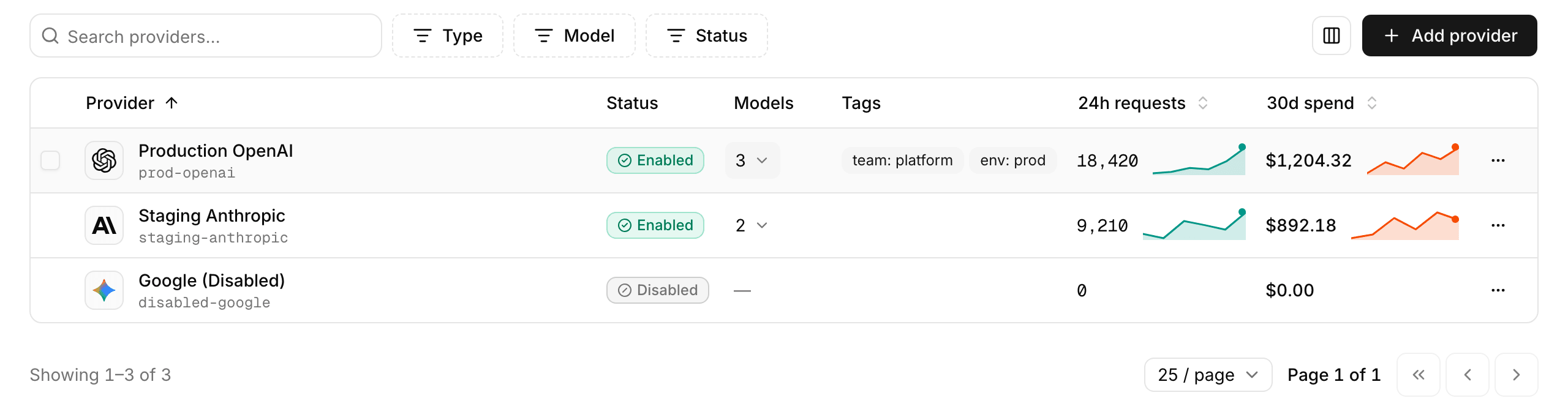
To change tags after you create the provider, use the Tags section on its Settings tab. A tagged provider shows its tags on the connection card of its detail page and in the Tags column of the LLM providers list.
For the limits and rules that apply to tags on every resource, see Tag Resources.
Configure message recording
The Transcripts section controls whether AI Gateway records the message bodies this provider proxies. It appears on the create form and on the provider’s Settings tab, and it has two independent toggles:
| Toggle | What it captures |
|---|---|
|
Captures the full request body (prompt content and tool-call arguments) on observability traces. |
|
Captures the full response body (completion content and tool-call results) on observability traces. |
When you create a provider, recording starts on, so a new provider records message bodies from its first request. This holds on every create path. The Create provider form starts with both toggles on, and a create with rpk ai llm-provider create that doesn’t mention transcripts gets the same default. The bodies land on the AI Gateway’s own trace data for the calls it proxies. They don’t feed agent transcripts, which a managed agent records under its own transcript recording mode. Turn either toggle off, on the create form or later on the Settings tab, for workloads where the message body must not be retained, such as regulated PII or customer secrets. To keep that content out of agent transcripts too, set each agent’s recording mode to Metadata only or Off.
Two cases don’t get that default:
-
An existing provider keeps whatever it was saved with. The default applies at create time and doesn’t change any provider you already had.
-
A create that explicitly disables recording stays off. From the CLI, pass
--transcripts.record-input-messages=false --transcripts.record-output-messages=false. Set both flags together, or neither. If a create sets only one of them, the other starts off instead of taking the default.
These are per-provider settings, not per-request. Applications can’t opt in or out at call time. To split sensitive from non-sensitive traffic, create one provider with recording on and another with it off, and route each application to whichever proxy URL matches its data class.
| These toggles govern only the message bodies the AI Gateway records for the calls it proxies. An agent’s Transcripts tab is assembled from spans the agent exports itself. A managed agent’s transcript recording mode, or a self-managed agent’s own instrumentation capture settings, controls the text those transcripts show, not these toggles. See Transcript recording and Message content capture. |
Recording settings do not affect cost and usage telemetry. Token counts, latency, and provider/model attribution are always recorded, so the Cost and usage page reports spend for traffic on the provider regardless of these toggles. Only the message bodies are withheld when the toggles are off.
| Changing a toggle takes effect for new requests. Message bodies already recorded under the previous setting are not retroactively redacted. Delete or rotate the provider if you need to purge historical content. |
Save and verify
Before you click Create provider, check the Transcripts section. Both toggles arrive on, so the provider starts recording prompts and responses with its first request, and what it captures is not retroactively redacted. See Configure message recording.
-
Optional: Click Test connection in the Verify connection box in the Models section to check the credential and endpoint you entered before you commit to them. The check creates nothing, so a failure costs you only the retry. It needs a provider key (for the types that require one) and a base URL that starts with
http://orhttps://. For an OpenAI-compatible provider, the base URL is required. For other provider types, it’s checked only if you set one. A Bedrock provider set to Assume IAM role can’t be checked here, because the form shows the external ID for its role’s trust policy only after you create the provider. Create it, then check it from the Settings tab. A Fireworks provider needs between one and 100 selected models, and the check sends a request to each one. -
Click Create provider. Until the form is complete, the button stays disabled and its hint tells you what’s still needed (for example, saving the new key).
-
After create, you land on the provider’s Connect tab, with client setup instructions and code examples that already include the proxy URL. To copy the proxy URL on its own, open the Overview tab and use the copy control on the Connection card. The proxy URL is where your applications point.
-
To confirm the saved provider is reachable, open the Settings tab and click Test connection in the Test saved configuration box of the Connection section. The result appears as an alert in the same box. Save any pending changes first, because the test stays disabled until you do.
-
To wire up an application, use the Connect tab or follow Connect your app to AI Gateway.
What a successful result proves depends on the provider type, and the panel says so before you run it:
-
For most types, the check lists the models the upstream service offers, using the credential and endpoint you configured. It sends no model request, so it confirms authentication and the network path rather than access to any one model.
-
For Gemini Enterprise Agent Platform, the check sends one request to each selected model. For a Gemini model it counts the tokens of a short prompt, which Google doesn’t bill. For a Claude model it sends a request capped at one output token, which Google bills to your GCP project. It can send a model more than one request when a request fails or is slow to answer. If no model is selected, it checks one model served at the location. The result lists the models that didn’t answer, grouped under the cause they share, so it confirms access to each model, not only the credential. A Gemini model that passes the check can still be slow or busy on a real request, because counting tokens doesn’t reach the servers that generate the answer. See Causes a connection check reports.
-
For Amazon Bedrock, the check confirms the AWS credentials in the configured region. It doesn’t verify access to a model, which IAM grants separately (see Inference profiles and IAM). A Bedrock provider with a custom
Base URLcan’t run the check, and the result says so. -
For a Bedrock provider that authenticates with a Bedrock API key, the check lists the foundation models in the region, so the key’s identity needs
bedrock:ListFoundationModelsas well asbedrock:CallWithBearerToken. AWS answers a rejected key and a key that lacks a permission the same way, so the check reports both as an authentication failure, and it names the cause when AWS’s response does, such as an expired key. As with the other Bedrock credential types, a check that passes doesn’t confirm that the key can invoke a model or use a guardrail. -
For Fireworks, the check sends one request to each selected model, capped at one output token, on the API the catalog lists first for that model. It runs up to four requests at a time, with a single attempt per model. Fireworks bills each request to your account, and the Test connection control warns you about this cost before you run it. The result reports how many of the selected models responded, so it confirms access to each model rather than only the key. The check shows Connected with its latency when every model responds, a warning with the number of models that responded when some fail, and an error with a count of zero when none responds.
-
For any provider with authorization passthrough on, there’s no server-side credential to test. The first real request is what verifies upstream access, because each client authenticates with its own key.
If the check fails, see Troubleshooting.
To monitor, connect to, and manage the provider after you create it, see Monitor and Manage an LLM Provider.
Troubleshooting
| Symptom | What to check |
|---|---|
|
Confirm the secret exists in the Agentic Data Plane secret store and the reference in the provider configuration is spelled identically ( |
Test connection fails with |
The check reached no HTTP response at all, so the credential was never tried. Check the |
Bedrock returns |
These come from the provider’s AWS region, its IAM policy, or the model identifier you called. See Bedrock troubleshooting. |
A Gemini Enterprise Agent Platform provider returns |
These come from the GCP project’s setup: the service account role, the Claude models enabled in Model Garden, the organization policy, or the location. See Gemini Enterprise Agent Platform troubleshooting. |
The upstream provider returns 401 when passthrough is enabled |
Confirm the client is sending its own |
A passthrough request fails with HTTP 400 and |
With passthrough on, the |
A passthrough request to an Anthropic provider fails with HTTP 400 and |
The request carried no |
A passthrough request fails with HTTP 502 and |
The upstream endpoint answered with a redirect, which AI Gateway refuses to follow when passthrough is on so that a client’s credentials never travel to another host. Point the provider’s |
Gemini returns 401 |
The client didn’t send its gateway token in a header AI Gateway reads. Send it in |
Requests fail with HTTP 403 and |
The requested model isn’t enabled on the provider. Enable it in the Models section of the provider’s Settings tab, or request a model that is enabled. |
Saving a Fireworks provider fails with |
The Fireworks type accepts only identifiers from Redpanda’s Fireworks catalog, and it refuses to add a model that the catalog marks as retired. Select models from the list on the form, and remove the identifier the message names. When more than one model fails, the message lists each one. A retired model that was already on the provider stays until you clear it. |
Test connection on a Fireworks provider reports |
One or more of the selected models didn’t respond successfully to the single request each received. The result shows how many models responded, not which ones. The common causes are:
Check the key first. To find a failing model, clear models from the selection one at a time and run the check again. Each run sends one request per selected model. |
A Fireworks request fails with HTTP 400 and |
AI Gateway sends Fireworks requests on the Fireworks standard service tier only. Remove |
A managed agent on a Fireworks provider fails to save with |
The agent’s model isn’t selected on the provider. Enable the model in the Models section of the provider’s Settings tab, or select a model the provider already serves. The identifier must match exactly, including the |
Provider list empty or 403 |
Confirm your account can act on LLM providers. Listing them needs |
Limitations
AI Gateway does not provide these capabilities. For current status, see the Agentic Data Plane release notes.
-
Multi-provider routing, failover, and retries across providers. A synthetic provider that fans requests to multiple upstreams is not part of AI Gateway.
-
Rate limits. Requests-per-second, per-minute, or per-day limits are not available. To cap spend rather than request rate, use budgets, which enforce a per-agent hard cap.
-
Token counting on Fireworks. The Anthropic
count_tokensendpoint returns HTTP 501 on a Fireworks provider, because Fireworks doesn’t serve it. Clients that count tokens before a request must handle that response.
